SUQQ GO
Replacement Remote Control For LG 6711A20096C Air Conditioner White
4.6(6)
AED 49.90AED 99.8050% off
Get it by Thu, Oct 1




SKU: Z045BBD7EF09DFC223870Z
Coupons & Offers
SUQQ GOGet it by Thu, Oct 1
Deliver to Dubai ·
30-day returns — free & easy
Sold by
Rain Curtain
Why with SUQQ
Payment options
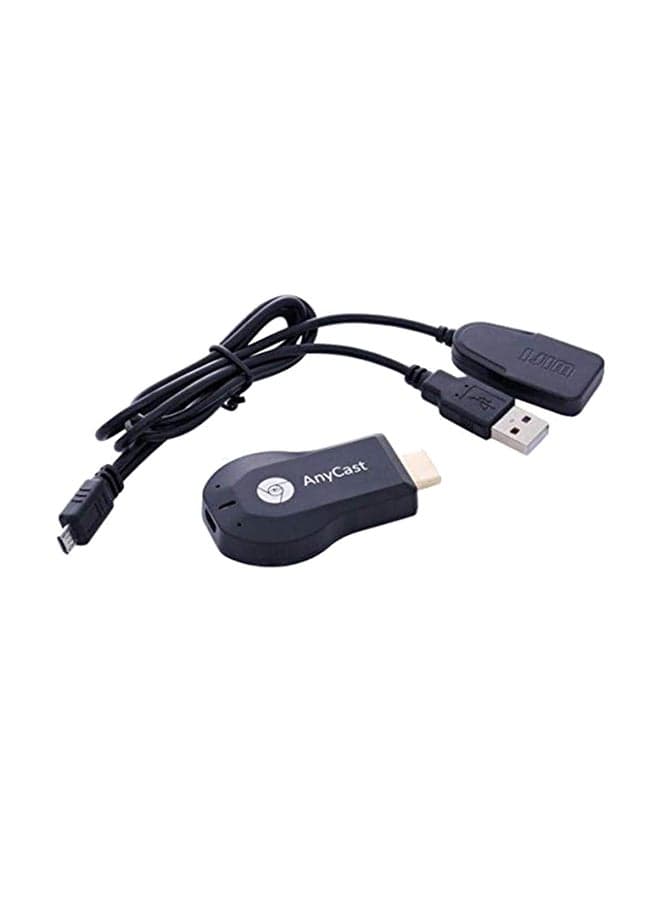
This Anycast Wireless display adapter can do mirroring or streaming your mobile device to your TV/projector/monitor wirelessly. Share videos, photos, movies to big screen easily. Make your TV a smart TV. nbsp; No App and drivers required. Only 3 steps to enjoy media on large screen: Plug-gt;Connect-gt;Mirroring by using Miracast, DLNA and Airplay mode. Recognize your IP address and match your local language automatically. nbsp; Support Airplay, Miracast, DLNA protocol, namely, support iOS 9.0+, Android 5.0+ devices and MacBook series. While your mobile device is upgraded to the newest version, this adapter can be upgraded to be compatible with the newest version timely. Buy one, never worry about the version compatibility. nbsp; Watch with colleagues in meeting-Mirroring screen to projector, share PPT, mail, documents and other content wirelessly. Watch with students in classroom-Mirroring screen to big screen, share teaching content wirelessly. Watch with your family at home-Mirroring screen to TV, share photos, videos, movies wirelessly. Carry it while travelling, share your phone to TV anytime. nbsp; We will regularly update the firmware from the cloud server to add features and improve compatibility, connect this dongle to your Wi-Fi and it will be upgraded automatically, so this dongle could be compatible with the newest version of your iOS/Android/Windows device anytime. When Apple or Android updates the system, our company will update the dongle version within one week. Only our company can do it in time in the market . • Built-in stereo speaker confers distortion-free audio • Outfitted with a host of interfaces for enhanced transmission • Proffers high resolution which lends crystal clear and intricately detailed images • RAM dual core chipset, H.265/HEVC decoder, support 4K(3840 X 2160) and 1080P resolution, no need switching in Miracast Airplay DLNA Modes • Connect Anycast in WiFi list on your iOS device, b. Access IP address 192.168.203.1 via a browser to connect to Wi-Fi internet, c. Confirm your phone is connected to the same Wi-Fi
AED 44.90
AED 49.90

AED 45.80
Total for 3 items
AED 140.60
SUQQ GOGet it by Thu, Oct 1
SUQQ GO
 SUQQ GO
Get it by Thu, Oct 1
 SUQQ GO
Get it by Thu, Oct 1

 SUQQ GO
Get it by Thu, Oct 1
 SUQQ GO
Get it by Thu, Oct 1

 SUQQ GO
Get it by Thu, Oct 1

 SUQQ GO
Get it by Thu, Oct 1
 SUQQ GO
Get it by Thu, Oct 1

 SUQQ GO
Get it by Thu, Oct 1

 SUQQ GO
Get it by Thu, Oct 1

 SUQQ GO
Get it by Thu, Oct 1
 SUQQ GO
Get it by Thu, Oct 1

 SUQQ GO
Get it by Thu, Oct 1
 SUQQ GO
Get it by Thu, Oct 1
 SUQQ GO
Get it by Thu, Oct 1
WiFi Display Dongle Reciever With 2-In-1 Cable Black/Silver