 SUQQ GO


SKU: Z420C6D72EC68C78DF5D0Z
Coupons & Offers
SUQQ GOGet it by Thu, Oct 1
Deliver to Dubai ·
14-day returns — free & easy
Sold by
Seven-77
Why with SUQQ
Payment options
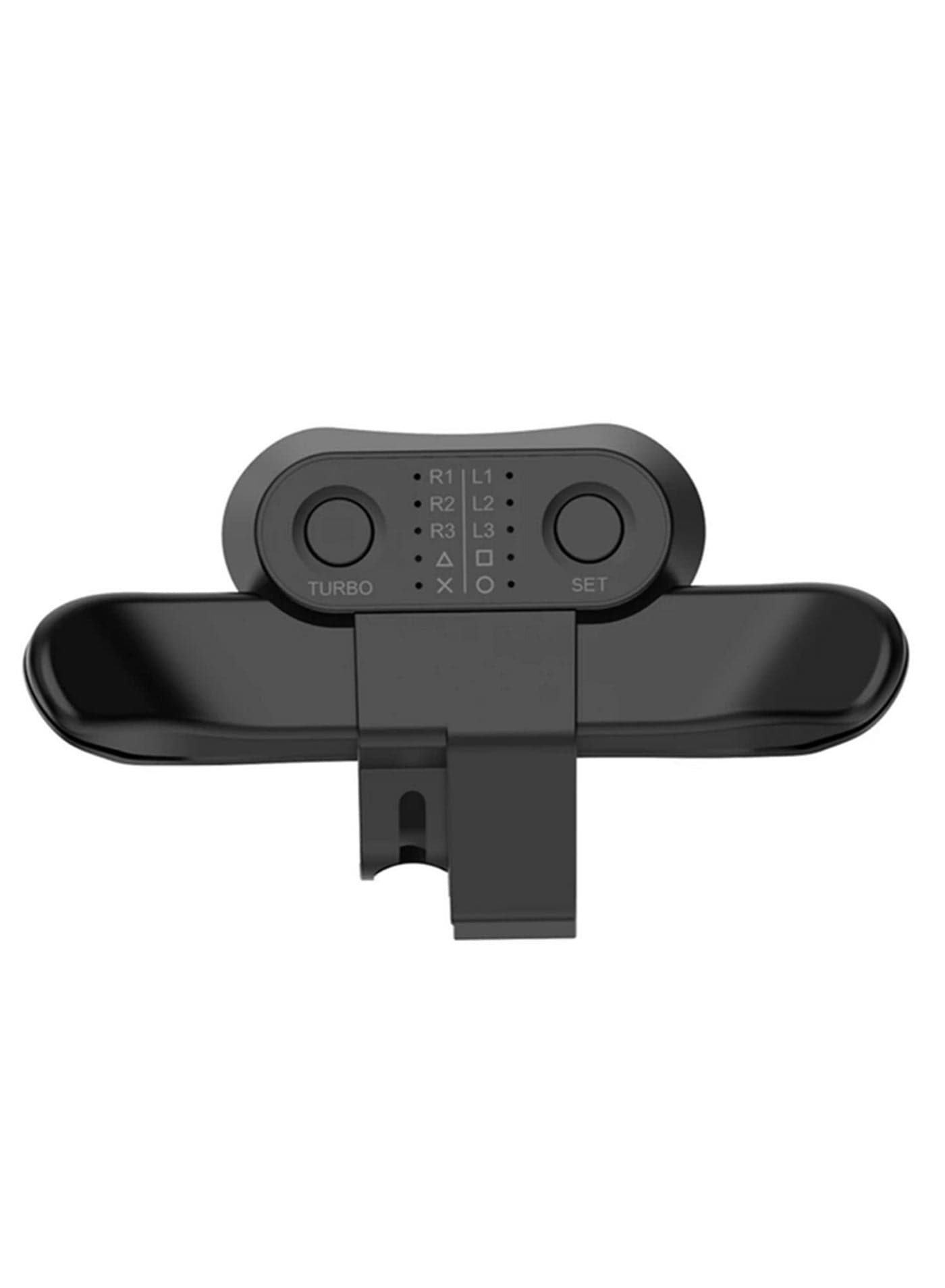
Speficications: Item Name: Back Button Attachment Material: ABS Color: Black Size: 3.9x2.2 inch Sleeping Current: less than 30uA Working Current: Less than 15uA Working Voltage: DC3.0-3.3V Function Setting: 1. Long press the setting key for 2 seconds, the ╳ light will flash quickly. 2. Press the M1 or M2 dial, the light flashes slowly (Press once, switch once)(Flashing Sequence :╳→ ○ → →△→□→R3→L3→R2→L2→R1→L1) 3. When the target button flashes, press the SET button to complete the setting. Note: The handle should also have programming and memory programming functions when it is not connected to Bluetooth state and charing state. Package includes: 1 x Back Button Attachment 1 x User Manual • ✅ 【Wireless & Plug-and-Play Design】 No additional tools or complicated setup required—simply plug in the controller, adjust a few settings, and start gaming instantly. The hassle-free, plug-and-play design ensures quick and effortless use for an enhanced gaming experience. • ✅ 【Turbo Buttons for Rapid Fire & Clear Shots】 Enjoy seamless continuous shooting and crisp, precise shots with the Turbo function. To activate, press and hold the function button along with the Turbo button; repeat to deactivate. This feature enhances your gameplay, giving you a competitive edge in fast-paced action. • ✅ 【Smart Memory Function】 The controller retains your last programmed settings even after unplugging, so you don’t have to reconfigure it every time. To clear the cache, simply long-press the SET button for 5 seconds until the LED turns off—convenient and user-friendly! • ✅ 【Wide Compatibility with PS4 Controllers】 Rigorously tested for compatibility with over 80% of PS4 controllers on the market, this back button attachment allows easy button remapping (M1/M2 paddles). Elevate your gaming performance with enhanced control and customization for your favorite games. • ✅ 【Easy Programming with LED Guidance】 Quickly program your preferred buttons by holding the SET button for 2 seconds—the × LED will flash rapidly (4Hz). Then, press M1 or M2 to assign functions (×, ○, △, □, R3, L3, etc.), with slow LED flashes confirming your selection. Intuitive and efficient for personalized gameplay
AED 36
AED 50
AED 32
Total for 3 items
AED 118
SUQQ GO SUQQ GO
 SUQQ GO
Get it by Thu, Oct 1
 SUQQ GO
 SUQQ GO
Get it by Thu, Oct 1
 SUQQ GO
 SUQQ GO
Get it by Thu, Oct 1
 SUQQ GO
Get it by Thu, Oct 1

 SUQQ GO
Get it by Thu, Oct 1
 SUQQ GO
Get it by Thu, Oct 1
 SUQQ GO
Get it by Thu, Oct 1

 SUQQ GO
Get it by Thu, Oct 1

 SUQQ GO
Get it by Thu, Oct 1
 SUQQ GO
Get it by Thu, Oct 1

 SUQQ GO
Get it by Thu, Oct 1
For PS4 Controller Back Button Attachment Compatible with Sony Playstation 4 Gamepad Rear Extension Adapter Electronic Accessories for PS4 Controllers