 SUQQ GO
Raxoom
Gorilla AntiBurst Case For Samsung Galaxy S10 Clear4.7(10)
AED 39AED 5022% off
Get it by Sat, Oct 3




SKU: Z1B596E45E819F8CFF300Z
Coupons & Offers
SUQQ GOGet it by Sat, Oct 3
Deliver to Dubai ·
14-day returns — free & easy
6-month warranty — manufacturer-backed
Sold by
Raxoom Store
Why with SUQQ
Payment options
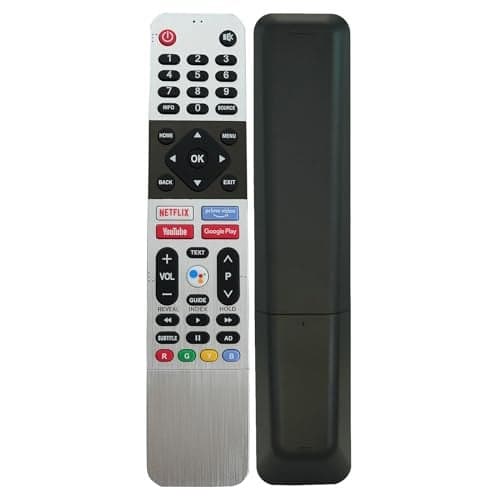
Overview Highlights BN59-01312F Remote for Samsung All Samsung LED QLED UHD HDR and Samsung 4k Crystal uhd Curved Smart TV. Replacement for Samsung TV Remotes:BN59-01259B, BN59-01259E, BN59-01259D, BN59-01241A, BN59-01242A, BN59-01260A, BN59-01265A, BN59-01266A, BN59-01274A, BN59-01298 01292A, BN59-01298A, BN59-01310A, BN59-01310C, BN59-01312A, BN59-01312B, BN59-01312F, B Control for Samsung Smart TV Remote. Works Right Out of Box without any programming. Just insert 2 AA batteries(not included) to work. Overview A remote control is a handheld device used to wirelessly operate electronic devices within its range. It typically communicates with the device through infrared (IR) signals or radio frequency (RF) signals. Here is a detailed description of a typical remote control: Physical Features: Shape and Size: Remote controls come in various shapes and sizes, often designed to fit comfortably in the user's hand. They can be rectangular, oval, or even custom shapes depending on the brand and model. Buttons and Layout: Remote controls have an array of buttons, each assigned to a specific function. Common buttons include power, volume control, channel selection, numeric keypad, navigation arrows, and additional buttons for specific device features. The layout is designed for ease of use, with frequently used buttons placed conveniently. Material: The outer casing is usually made of plastic, and the buttons may be rubberized or made of a durable material to withstand frequent use. Display: Some advanced remote controls feature a built-in display, providing information such as the current channel, volume level, or battery status. Battery Compartment: The back of the remote typically houses a compartment for batteries (usually AAA or AA), which power the device. Functional Features: Infrared (IR) or Radio Frequency (RF): IR remotes require a direct line of sight between the remote and the device being controlled. RF remotes can operate devices through obstacles and do not require line-of-sight, making them suitable for home theater systems and other setups. Mode Selection: Some remotes can control multiple devices (e.g., TV, DVD player, audio system). Users can switch between modes to control different devices. Programming: Universal remotes often allow users to program specific codes to control a wide range of devices from different manufacturers. Smart Features: Modern remote controls may include smart features, allowing them to connect to other devices via Bluetooth or Wi-Fi, enabling control of smart home devices like lights and thermostats. Voice Control: Some remote controls, especially those for smart TVs, may have integrated microphones for voice control, enabling users to give commands verbally. Learning Function: Certain remotes can "learn" commands from other remotes, allowing them to mimic the functions of devices not initially supported. Considerations: Compatibility: Ensure that the remote is compatible with the devices you intend to control. Ergonomics: Choose a remote with a comfortable grip and intuitive button placement for ease of use. Battery Life: Consider the battery life of the remote, especially if it includes power-hungry features like a display or backlighting. Range: Check the effective range of the remote, especially for RF remotes that may operate through walls and obstacles. User Interface: Evaluate the user interface, whether it's through physical buttons, touch-sensitive surfaces, or a display. Remote controls play a crucial role in enhancing the user experience by providing convenient and efficient control over various electronic devices from a distance. Advances in technology continue to bring new features and capabilities to these devices, making them integral components of modern home entertainment systems.
SUQQ GOGet it by Sat, Oct 3

 SUQQ GO
Get it by Sat, Oct 3

 SUQQ GO
Get it by Sat, Oct 3

 SUQQ GO
Get it by Sat, Oct 3

 SUQQ GO
Get it by Sat, Oct 3

 SUQQ GO
Get it by Sat, Oct 3

 SUQQ GO
Get it by Sat, Oct 3
![ELTRAZONE Designed for iPhone 14 Plus Case, [Clear] 5 in 1 [Non Yellowing] Case with 2X Tempered Glass Screen and 2X Camera Lens Protectors, Shockproof and Air-Guard Corners (Clear Non MagSafe)](/_next/image?url=https%3A%2F%2Ff.nooncdn.com%2Fp%2Fpzsku%2FZD839AA344FB81009E07CZ%2F45%2F_%2F1729924814%2Fc143c871-35bb-4c35-886c-567a91e34b9f.jpg&w=2048&q=75)
 SUQQ GO
Get it by Sat, Oct 3

 SUQQ GO
Get it by Sat, Oct 3

 SUQQ GO
Get it by Sat, Oct 3

 SUQQ GO
Get it by Sat, Oct 3

 SUQQ GO
Get it by Sat, Oct 3
 SUQQ GO
Get it by Sat, Oct 3

 SUQQ GO
Get it by Sat, Oct 3

 SUQQ GO
Get it by Sat, Oct 3

 SUQQ GO
Get it by Sat, Oct 3
 SUQQ GO
Get it by Sat, Oct 3

 SUQQ GO
Get it by Sat, Oct 3

 SUQQ GO
Get it by Sat, Oct 3
 SUQQ GO
Get it by Sat, Oct 3
 SUQQ GO
Get it by Sat, Oct 3

 SUQQ GO
Get it by Sat, Oct 3
 SUQQ GO
Get it by Sat, Oct 3

 SUQQ GO
Get it by Sat, Oct 3

 SUQQ GO
Get it by Sat, Oct 3

 SUQQ GO
Get it by Sat, Oct 3

 SUQQ GO
Get it by Sat, Oct 3

 SUQQ GO
Get it by Sat, Oct 3

 SUQQ GO
Get it by Sat, Oct 3
 SUQQ GO
Get it by Sat, Oct 3

 SUQQ GO
Get it by Sat, Oct 3

 SUQQ GO
Get it by Sat, Oct 3
BN59-01312F Replacement for Samsung Smart TV Remote, Smart Remote Control for All Samsung TVs,Remote-Replacement of HDTV 4K UHD Curved QLED and More TVsPh2310


